

Agents
by pumi-dev
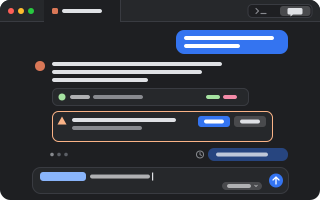
Coding agents in pumi's tabs: Claude Code, Codex, pi and more open from the + menu, in their own terminal or in a GUI. pumi sees when each one works or waits on you, and each one is told about the workspace around it.
What it adds
- Commands
toggleAgents: flip the focused tab between the terminal and the chathandoffAgents: continue this agent in its GUIbackAgents: continue this chat tab's session in the agent's terminal- Pane types
term,session- Adds to
tab.toolbar- Settings
- 5
- Key bindings
- 1
- Uses
- files, processes
README
Coding agents in pumi's tabs, in one plugin. A pane's + menu opens each agent installed here, in its own terminal or in a GUI; pumi sees when it works, waits on you or is done; and it is told about the sessions, panes and tabs around it.
pumi plugin add pumi-dev/plugins/agentsSettings → Agents has one switch per agent:
| What opens | Agents | |
|---|---|---|
| Terminal | the agent's own screen; the tab's button flips it to a chat over it and back | all |
| GUI | a chat tab that runs the agent over its SDK, else ACP | pi, Codex, Claude Code (SDK); Gemini, OpenCode, Copilot, Kiro (ACP) |
| Off | nothing: it is left out of the + menu, its tabs are left alone and its hook taken out | all |
Open agents in under them sets every agent at once (those Off stay off): Terminal, GUI (SDK) or GUI (ACP). It also picks which a GUI tries first for agents that have both (pi, Codex, Claude Code); an agent with only one uses that one.
It takes over from Chat UI (pumi_dev/chat-ui) and the workspace context plugin (amresyd/agents): their options carry over the first time it starts, and Chat UI's open chat tabs each time it starts while Chat UI is off.
A chat over the terminal
Nothing restarts and nothing is screen-scraped. The chat reads the session file the agent writes and types what you send into its terminal, which keeps running underneath. Terminal gives it back exactly as it was.
- Send while it works: prompts queue in the chat and go in order when the agent is ready. Stop sends Escape. Queued prompts reach Claude Code and pi at their turn's end through the stop hook, rather than typed once the agent is idle.
@for files and tabs: lists the other tabs by title, then the agent's project (.gitignored files left out): its directory, or its session's when the agent runs in the home folder. Pick one to add it to the prompt. A file or a tab in the prompt shows as a chip, and Backspace takes it whole; the agent reads a tab named@tab:%3withpumi tab read./for commands: the agent's own, plus Claude's.claude/commandsand skills, Codex's prompts, and pi's prompt templates and skills. A command that opens a screen of the agent's own (/model,/resume) shows the terminal.- Pictures: drop one on the chat or the prompt to attach it to the next prompt. It stays in the line as a chip, in the prompt and in the sent message; hover it to see the picture.
- Nothing typed is lost: the draft stays when the tab flips to the terminal and back, and is kept in the tab across a restart of the app. The prompts sent are kept too: ↑ brings them back, even after a session that never started.
- Continue after a turn that was stopped, failed or cut off goes on without a message to type.
- Scrolling: the chat follows the answer while you are at its foot and stays where you read when you scroll up; a button takes you back down.
- Model picker beside Send, for Claude Code and pi.
- Permission prompts as cards you answer in the chat (Claude's, with "Answer permissions in pumi" on).
- Edit a message you sent: click it, change it, Enter. pi goes back to that exact message (through a small pi extension the plugin installs on first use,
~/.pi/agent/extensions/pumi-chat.ts); Claude Code and Codex open their own rewind.
The tab's toolbar has the button; Agents: flip the focused tab between the terminal and the chat is in the palette.
GUI tabs (SDK and ACP)
The plugin runs the agent itself, under a small host process per tab (src/session/host.ts), so the agent keeps running when the window closes and the tab finds it again. The host speaks ACP, or the agent's own protocol, and the chat draws what it says as it is written: text token by token, calls with their output, permission requests and an agent's questions as cards, its models in the picker. A tab with a session continues it after a restart. The chat shows at once, while the agent starts: a prompt sent then goes as soon as it is ready.
- Agents: continue this agent in its GUI hands a terminal agent's session to a GUI tab, once its turn is over.
- The toolbar's terminal button, or Agents: continue this chat tab's session in the agent's terminal, goes back to the TUI on the same session.
- ACP adapters that aren't installed are fetched with
npxat a pinned version. - Questions pi (
ask_user_question) and Codex ask are answered in their card: a choice, several, or words of your own. - Skills anywhere in the prompt:
/after a space lists the agent's skills (pi's own list, Codex'sskills/list, Claude's.claude/skillsfrom the project up and in the home folder). A picked skill is a chip; on send the host puts itsSKILL.mdbefore the prompt, as pi does for/skill:name. - Claude Code's GUI over the SDK runs your installed
claudethrough Anthropic's Agent SDK, signed in as it is. Anthropic asks apps built on the Agent SDK to sign in with an API key; on a Pro or Max sign-in this use may be billed as extra usage. Its row says so while its GUI runs the SDK. The chat over its terminal runs the unmodifiedclaude, which has no such question.
Hooks
The plugin puts each agent's hook into the agent's own config by itself (Claude Code's ~/.claude/settings.json, Codex's ~/.codex/hooks.json, pi's extension ~/.pi/agent/extensions/pumi-context.ts, …) for every agent installed here that isn't Off, and keeps it up to date; it takes it out when the agent is set to Off, or all of them when Connect agents to pumi is off. An agent running then picks the change up when it starts again. The user's own hooks there are left as they are, and the first copy of a config is kept as .pumi-bak. A hook runs only in a terminal opened for its agent, which has PUMI_AGENT set:
pumi call pumi_dev.agents.open claude [cwd] # an agent tab, as Settings saysAn agent's terminal is the plugin's own block, pumi_dev.agents.term, on pumi's terminal engine: a terminal like any other, kept across a restart, drawn as the chat or as the terminal. A shell in a plain terminal that starts an agent is not an agent tab: its hook does nothing there.
The hook tells the plugin the agent's session, model and session file, and its state (the tab's @status); the tab shows the agent's mark (@icon) and, when the tab comes back after a restart, resumes the session (restore_command).
Workspace context
At its start and with each prompt after, an agent is told about the workspace it is in, unseen by you: a short guide to pumi (context/guide.md) and a map of the sessions, views, panes and tabs around it, then only what changed.
<pumi-context from="pumi_dev/agents">
<pumi>
You are in a tab of pumi, a terminal workspace. …
</pumi>
<pumi-panes>
$7 app (current)
  @3 main (current)
    :11 (focused)
      %129 π - Fix the build — ~/src/app — done (current)
    :12
      %130 zsh — ~/src/app/src
</pumi-panes>
</pumi-context>
The map's ids are pumi's: $1 a session, @2 a view, :4 a pane, %3 a tab. (current) marks where you are. A terminal agent hears it through its hook (Claude's additionalContext, pi's hidden message, OpenCode's system prompt); a GUI tab's host puts it ahead of the prompt. After a compaction the agent is told everything again.
For other plugins and agents
An agent tab is one with the plugin's trait, @pumi_dev.agents.agent (the agent's id; its fields .session, .model, .transcript, .accepts, .conversation), and its status is the tab's @status. Every agent tab serves its conversation as pumi_dev.agents.conversation.read(tab,
since?), .send(tab, command) and the .changed event; pumi_dev.agents.queue(tab, text) is a prompt for it after its turn, which is how one agent asks another.
Keys
⇧⌘C flips the focused agent tab between its terminal and the chat; change it on the Keybindings page. The rest work wherever the keyboard is in the chat.
| Enter, Shift+Enter | send; a new line |
| Esc | close the / or @ list, or the edit; else stop the agent while it works |
| ↑ / ↓ | in an empty prompt, the prompts you sent before, and back |
| ↑ ↓ Tab Enter | in the / or @ list, move and pick |
| ⌃1 … ⌃9 | answer the waiting permission with its first … ninth button |
Options
Settings → Agents, one page.
| Agents | one row per agent installed here: Off, Terminal or GUI, and whether it is connected |
| Open agents in | sets every agent to Terminal, GUI (SDK) or GUI (ACP); a GUI tries this one first (Terminal) |
| Connect agents to pumi | the agents' hooks, put in and kept up to date by the plugin (on) |
| Answer permission prompts in pumi | Claude Code's permission prompts come to pumi; unanswered in two minutes, Claude asks itself (off) |
| Tell agents about my workspace | the guide and the map (on) |
A chat reads the last 4 MB of a session file, and the map has your other sessions' tabs too.
Limits
- In a chat over the terminal, a reply shows as each message is written to the session file, not token by token, and the mode can't be changed from the chat, nor Codex's model: those pickers are the TUI's.
- In GUI tabs, going back to an earlier message is the agent's own, in its terminal; and the agent's own list of sessions to pick from is ACP's only.
- An agent without its hook is taken to be ready 15 s after a prompt, so a queued prompt may arrive while it still works.
- A hook hands its input to
pumi callas one argument: an input past the system's argument limit (128 KB on Linux; a permission to write a big file) fails, and the agent asks in its own prompt. - What an agent was told is kept in memory: after the plugin starts again, an agent's next prompt hears the whole map again.
Development
pumi plugin dev agents   # link it, reload on save
bun test                 # the parsers, the conversation model, mentions, commands, keys, the hosts, the hooks, the context
The tests run on synthetic records shaped like each agent's files; no real session is in them. src/conversation/ is the agent-agnostic conversation (the model, its changes, the chat's drawing), src/parse/ turns each agent's session file into it, and src/bridge.ts follows one terminal tab. src/catalog.ts lists the agents and how each opens; src/sessions.ts runs the ACP and SDK tabs, and src/session/ is their host, one engine per protocol. src/hooks/ is the agents' hooks (the table and their files, integrations.ts; what the hook function answers, hook.ts and run.ts), and src/context/ with src/tell.ts is what an agent is told about the workspace.