

Keep Mac Awake
by pumi-dev
Keeps this Mac awake while agents work — with the lid shut if you want that — and lets it sleep again when they stop.
What it adds
- Commands
installAwake: install the closed-lid admin rulesettingsAwake: open its settings- Settings
- 6
- Uses
- processes
README
Keeps this Mac awake while agents work — with the lid shut, if you want that — then lets it sleep.
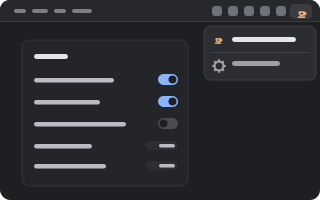
pumi plugin add pumi-dev/plugins/awakeSettings → Awake has the switches. While the Mac is held up, a cup sits in the menu bar; its menu opens this page.
What counts as work
A tab's @status — one word the core keeps for every tab, which the Agents plugin's hooks report (working, blocked, done, …). Only working holds the machine up, and only for max_hours (3 by default): an agent that has been going longer than that is not waited for.
When the last working tab stops, the hold lasts another linger seconds (60 by default), so one turn ending and the next starting is a single hold instead of a sleep and a wake between them.
On battery, the hold gives up under battery_floor percent (20 by default; 0 holds until the battery is empty). A hold by hand ignores the floor.
What a hold is
- The idle sleep:
caffeinate -ims -w <pumi's pid>, which stops the machine from falling asleep by itself and ends on its own when pumi does — even if pumi is killed. - The lid: closing the lid is the kernel's own clamshell sleep, which no assertion stops. Only
sudo pmset -a disablesleep 1turns it off. With Closed lid on, awake does that when a hold starts and puts it back (0) the moment the hold ends, so a Mac left alone sleeps as it always did.
Closed-lid mode needs root, so it needs one setup step. The first time it is asked for, macOS asks for an admin password and installs /etc/sudoers.d/pumi-awake:
Cmnd_Alias PUMI_AWAKE = /usr/bin/pmset -a disablesleep 1, /usr/bin/pmset -a disablesleep 0
<you> ALL=(ALL) NOPASSWD: PUMI_AWAKE
Those two commands, for your account, and nothing else. pumi call pumi_dev.awake.install installs it without turning the option on; sudo rm /etc/sudoers.d/pumi-awake takes it away.
The cup in the menu bar
src/bar.swift, built with swiftc into the plugin's cache the first time it is needed, is a status item: a cup that says Keeping mac awake, with Awake settings… under it. It goes when the hold does, and when the plugin stops — the helper is a child of the plugin's worker. Turn it off with Menu bar icon.
Options
| Option | Default | |
|---|---|---|
| Keep awake while an agent works | on | Hold while any tab reports working. |
| Keep awake with the lid closed | off | Hold with the lid shut (the admin rule above). |
| Keep awake after the last agent stops | 60 s | The linger; 0 lets go at once. |
| Sleep when the battery is under | 20 % | 0: only when it is empty. |
| Give up on an agent after | 3 h | 0: never. |
| Show the cup in the menu bar | on | The status item while something is held up. |
Commands
| Command | |
|---|---|
pumi call pumi_dev.awake.state | What it is doing, and why, as JSON. |
pumi call pumi_dev.awake.install | Install the admin rule closed-lid mode needs. |
pumi call pumi_dev.awake.settings | Open awake's page in Settings. |
Good to know
- pumi has to be running. The plugin is a worker of the pumi app; closing pumi's window hides the app rather than quitting it, so the hold goes on. Quit pumi and the hold goes with it.
- macOS only. Elsewhere the plugin loads and does nothing.
- The lid's sleep is one flag for the whole machine. If another app turned it off too (Amphetamine's closed-display mode, or a
pmsetyou ran), awake puts it back to0when its hold ends.sudo pmset -a disablesleep 0always puts it back by hand. - In a bag, with something working and closed-lid mode on, the Mac stays awake: that is heat.
Working on it
bun tools/link.mjs                 # from the plugins checkout: the SDK's types
bun test                           # the arithmetic and the admin rule
./node_modules/.bin/tsc --noEmit -p .
pumi plugin dev ./awake            # reload it on save; `pumi plugin logs awake` says what it did
src/plan.ts is the arithmetic, src/machine.ts is caffeinate and pmset, src/bar.swift and src/bar.ts are the cup, src/main.ts is the watching and the holding, and src/ui.tsx is the page in Settings.