

File Tree
by pumi-dev
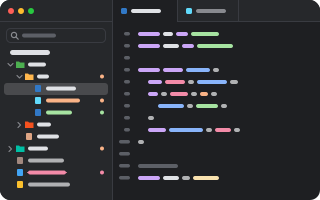
The project tree in the sidebar: folders and files with their icons and git's marks, to open, rename, move, trash and search.
What it adds
- Commands
toggleFile Tree: show the project treerevealFile Tree: reveal the current file in the treefilterFile Tree: search the project- Adds to
panel- Settings
- 9
- Key bindings
- 1
- Uses
- files, processes
README
The project tree in the sidebar: the folders and files of the repository the current tab is in, with their icons and git's marks. Open, rename, move, trash and search them without leaving pumi.
pumi plugin add pumi-dev/plugins/file-tree- The project: the work tree's root of the tab in front (its own directory outside a repository). The tree follows you from tab to tab and keeps each project's open folders.
- Git's marks: a new file is green, a changed one is tinted, a deleted one red, a conflict yellow, and a folder shows what is under it.
- Icons: the Material Icon Theme (MIT), matched by name and extension the way VS Code matches them, with light icons for a light theme.
- Search: fuzzy, over the whole project, not only the open folders (
git ls-filesin a repository, so ignored files stay out). - Files: new file or folder, rename in place, cut, copy, paste, duplicate, drag and drop, trash, delete, add to
.gitignore, reveal in Finder. - Fast on big trees: folders are read when they open, the rows are windowed, and a build writing inside an ignored folder does not redraw anything.
cmd+shift+e shows or hides it. The palette has File Tree: reveal the current file in the tree and File Tree: search the project.
| Key | |
|---|---|
| click, space | open a file; fold a folder |
| right click | the row's menu |
↑/↓, ctrl+n/ctrl+p | move |
| →/← | open or close a folder; cmd+→/cmd+← everything |
enter, f2 | rename |
cmd+c, cmd+x, cmd+v | copy, cut, paste |
| backspace | trash |
| delete | delete |
cmd+f | search |
| esc | clear the search, drop the cursor |
Options
open_with | what a click on a file does: tab (a view of its own), beside (a tab on the right), editor (your editor in a terminal tab) or system (its app) |
editor | the editor for open_with = "editor": code -w, nvim, hx; empty is $EDITOR |
hide_gitignore | leave out what .gitignore hides |
hide_hidden | leave out dotfiles |
file_icons, folder_icons | draw the icons |
git_status | tint rows by git's state |
auto_fold_dirs | draw a folder that holds one folder as one row, a/b/c |
indent_size | pixels per level |
A file opens in whichever enabled viewer fits it best, such as the Code Editor or the CSV Viewer. open_with = "editor" opens it in a tab of the Terminal plugin (pumi_dev.terminal.shell), so that needs the Terminal plugin; without it the file opens in its app.
Development
pumi plugin dev file-tree           # link it, reload on save
bun test                            # the tree, the sort, .gitignore, git's marks, the file operations
It needs git on PATH for the marks and the search.