

Video Editor
by pumi-dev
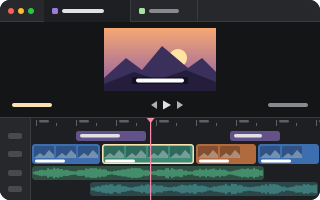
Edit a video in a tab: Clipkit's timeline editor over a project file (CKP/1.0 JSON) that an agent can write too. Saved on every edit, reloaded when the file changes.
What it adds
- Pane types
editor- Settings
- 1
- Uses
- files, network
README
A video in a tab: Clipkit's timeline editor, over a project file that is the edit. The project is JSON (CKP/1.0), and the media it names sits beside it, so an agent can read the cut, write a new one, and see it on the timeline the moment it is saved.
pumi plugin add pumi-dev/plugins/video-editor
pumi call pumi_dev.video_editor.open '{"path":"take.ckp.json"}'
The tab opens beside the one you are in ({"split":"down"} for below it). The page is drawn in a web view, so it is macOS only for now.
The project
The project file is the edit: clips, tracks, their placement, and the media's paths relative to the project's folder. Everything it names — the video, the audio, the stills — is served from that folder, so a source of take.mp4 is the file beside the JSON.
- Saved on every edit,
300 msafter the last change, and the whole file at once: it is written beside the project and renamed over it, so a reader never sees half an edit. - Written by someone else: when the file on disk becomes something the page did not write — an agent rewrote it, a script regenerated it — the tab opens the new version in place of the old.
- Agents write the JSON, not the UI: the timeline is a view of the file, and the file is the cut.
What it needs
Nothing but pumi. The editor's page is bundled from the plugin's own dependencies into web/ the first time a project opens (a tenth of a second), and again when the page or Clipkit changes; its workers are built beside it. Nothing is fetched from the network at run time, and the page, the project and the media stay on 127.0.0.1.
The tab
| block | pumi_dev.video_editor.editor, drawn by src/ui.tsx's Editor |
| option | project: the project file this tab edits, set when the tab opens |
| title | the project's name, without its extension |
pumi_dev.video_editor.open takes path, and split (right, down, left, up); it answers the tab's id. A relative path is from the calling tab's folder.
Space and the arrows go to the editor (play, step a frame), as do cmd+z and cmd+shift+z: the window's own bindings do not take them while the tab has the keyboard.
Working on it
bun install
bun run check                  # the worker and the window, then the page
bun run build                  # build web/ now, as the plugin does at first use
pumi plugin dev video-editor # link it, reload on savesrc/main.tsruns in the plugin's worker: it opens tabs, starts a page server per project (src/serve.ts) and builds the page (src/page.ts).src/serve.tsis the project's server, and pure:bun src/serve.ts take.ckp.jsonprints the address, and a browser can open it.src/ui.tsxis the window's half: a<WebView>on that address, with the project and its media on the other side of it.page/is the page itself, Clipkit's editor over the project the server serves beside it.